
Anyone who has ever tried to copy-paste a Divi layout from an AI chat into WordPress knows the result: export JSON that the Visual Builder won't swallow, or generic HTML without a single native module. The bottleneck is not the AI — it's the interface. The Diviskit Agent closes exactly that gap: it makes a WordPress site running Divi 5 controllable for AI coding agents — natively, editable, with safety lines attached.
What the Diviskit Agent is
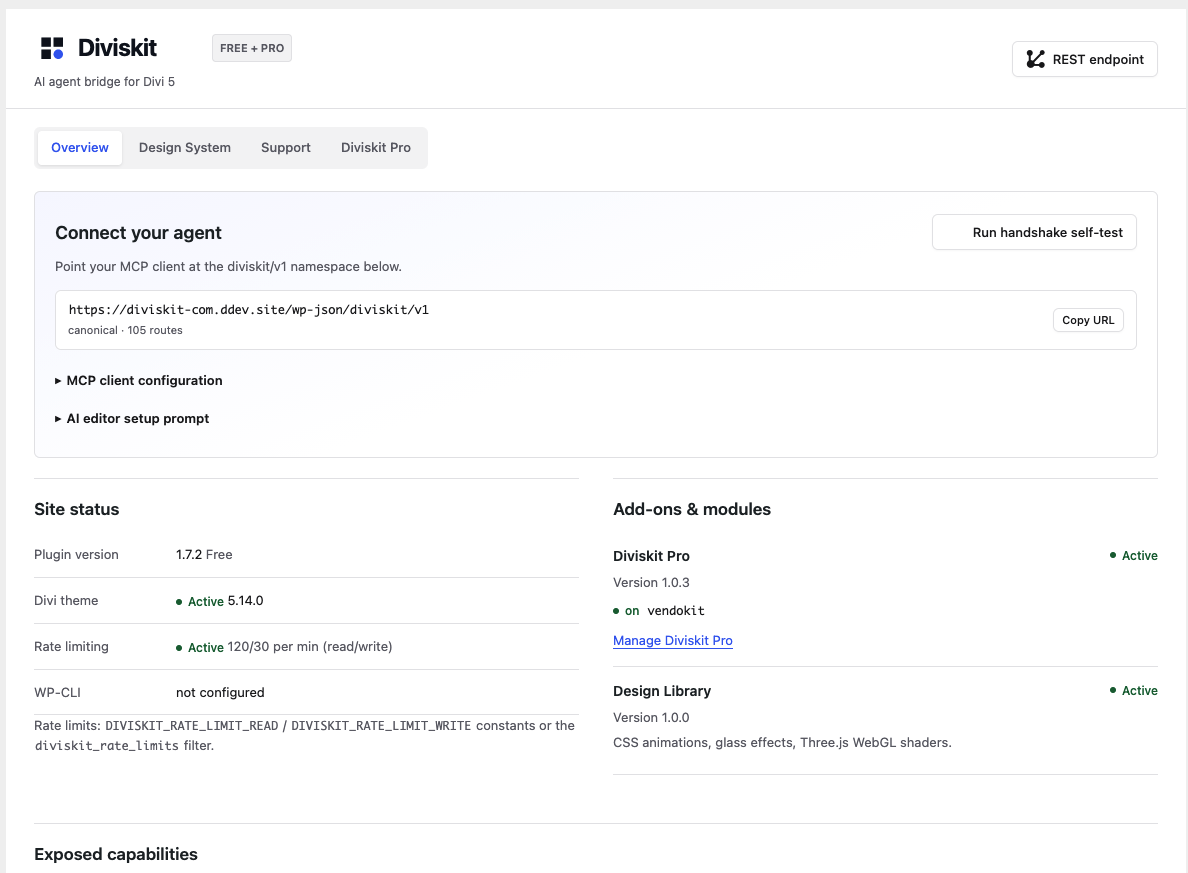
The Agent is neither a chatbot in the backend nor a page generator with its own output language. It is an authenticated REST bridge (namespace diviskit/v1, currently 106 routes) between WordPress and the Diviskit MCP server. The setup:
- WordPress plugin — provides the diviskit/v1 endpoints, the dashboard and the capability handshake. Requirement: Divi 5.
- MCP server (
@diviskit/mcp-server, via npx) — translates MCP tool calls into REST requests, encapsulates Divi details and validation. - AI client — Devin, Claude Code, Codex, Claude Desktop or any other MCP-compatible agent runs on your machine and drives the site via a WordPress application password.
Worth knowing: the Agent is licensed under GPL-2.0 and the complete source code is public on GitHub. There are exactly two external connections: downloading the MCP server from the npm registry and an anonymous update check against diviskit.com so new versions show up in the WordPress dashboard. No telemetry, no account.
The workflow: prompt → native Divi blocks
The decisive point is not that the AI writes content, but what it writes: native Divi 5 block serialization. Sections, rows, columns, modules — all as real Divi blocks. The result stays fully editable in the Visual Builder, presets and global tokens apply, and there is no custom HTML graveyard for you to clean up later.
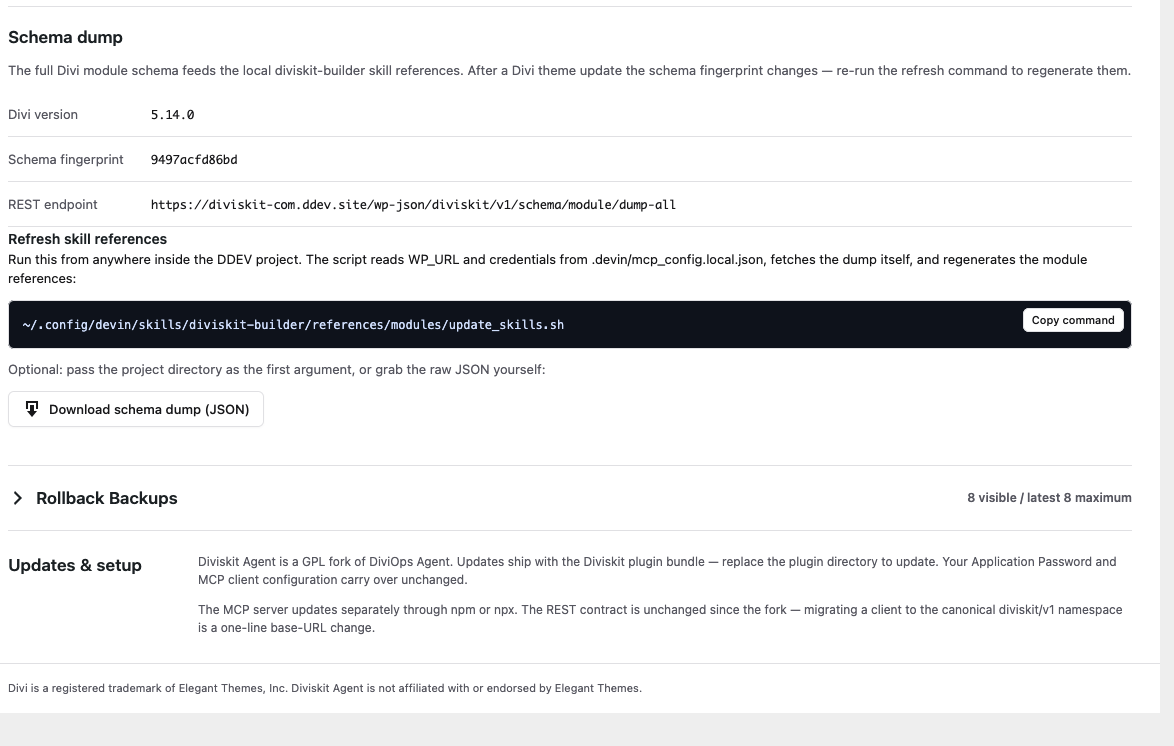
This is made possible by the schema dump: the plugin serves the complete module schema of the installed Divi version as JSON — including a schema fingerprint that changes exactly when Divi's attribute paths change. After a Divi update, one command regenerates the local references, and the agent writes version-accurately again instead of guessing.
The tool surface: 93 MCP tools in the free core
The free core ships 93 diviskit_* tools; Pro with Vendokit adds 18 commerce tools (111 in total). They cover the entire site authoring stack, not just "build a page":
- Pages & content — read, create, publish pages/posts; append, replace, move, clone, lock sections and modules precisely.
- Design system — global colors and fonts, variable manager tokens (
$variable()references), Divi presets including audit, orphan scan and registry doctor. - Theme Builder — templates with conditions, header/body/footer layouts, targeted block inserts into existing layouts.
- Structure — nav menus with theme locations, Divi Library entries, canvases for popups and off-canvas panels.
- Data & SEO — read and sync SCF field groups, get/set The SEO Framework metadata with readback, WP-CLI passthrough for audits.
- Commerce (Pro) — Vendokit products, variations, orders, license keys and gateways as their own tool family.
A concrete example from this blog: the single-post template you are reading right now — hero with dynamic title, meta line, prev/next navigation and the "More articles" cards at the bottom — is a Theme Builder body layout that the agent created via tb_template_create and a layout write. No manual clicking in the Visual Builder, yet editable everywhere.
Safety first: handshake, dry-run, rollback
An AI with write access to the site needs guardrails. The Agent ships them:
- Capability handshake — on connect, the site reports which operations it supports. Tools the site cannot do never even appear in the client.
- Dry-run plans — write tools accept
dry_run: trueand return the change plan without touching anything. - Block validation —
diviskit_validate_blockschecks markup for known silent failures before saving (missing layout attributes, wrong content paths, broken button formats). - Rollback snapshots — content writes can trigger guarded snapshots; restores run with a checksum drift check instead of blind overwriting.
- Real WP permissions — every endpoint maps to WordPress capabilities (edit_posts, edit_pages, manage_options), plus application password auth and rate limits. Errors come back as a machine-readable envelope
{ ok, error: { code, message, hint } }— no silent failures.
Skills: teaching the agent Divi
Raw tools are not enough — the agent also needs to know how correct Divi markup looks. For that, the plugin ships the Diviskit skills bundled and serves them versioned via REST (/wp-json/diviskit/v1/skills):
- diviskit-builder — block formats, auto-generated module maps from the schema dump, minimal snippets and the list of known pitfalls (e.g. a button needs
icon.enable: "off", otherwise Divi shows a hover arrow). - diviskit-scf — automation for SCF field groups, post types and loops.
- diviskit-mega-menu and diviskit-vendokit (Pro) — patterns for mega menus, off-canvas drawers and Theme Builder headers, and the commerce tools respectively.
- Design Library (add-on) — CSS effects and WebGL shader backgrounds as ready-made building blocks.
In practice this means: you say "build a landing section with three feature cards" — and the agent knows the correct attribute structure for blurbs, group flex and hover states instead of guessing generic HTML.
Free and Pro
The free version costs nothing (GPL-2.0) and is available as a zip straight from GitHub. It contains the complete authoring bridge: pages, sections, modules, Theme Builder, presets, variables, snapshots, menus, SCF basics. Pro adds commerce automation for Vendokit (18 dedicated tools for products, orders and licenses) plus further advanced workflows. What your installation can do is not decided by marketing — but by the handshake: the client only sees the tools the site actually offers.
Setup in five minutes
Getting started is deliberately unspectacular:
- Download diviskit-agent.zip and activate it under Plugins → Add New → Upload. Divi 5 must be active.
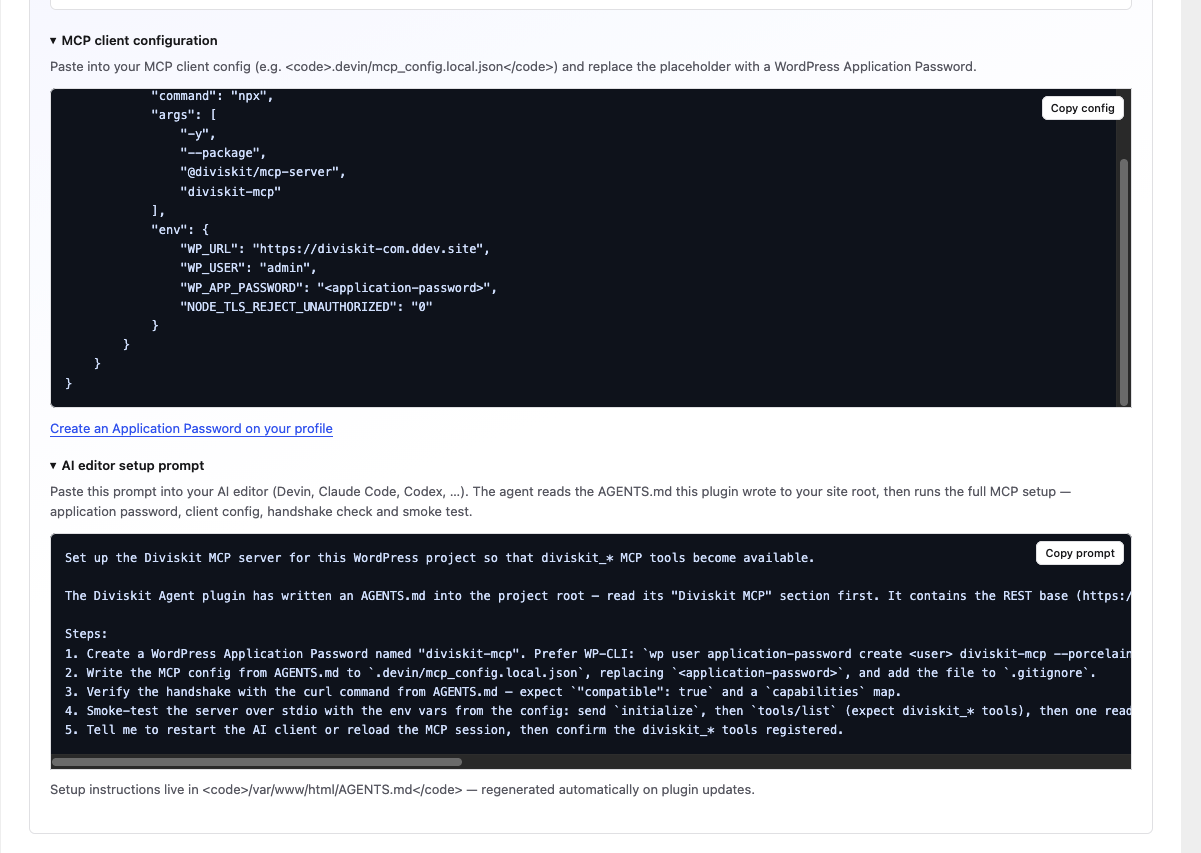
- Create an application password (
wp user application-password create admin diviskit-mcp --porcelain). - Copy the MCP config into your client — the dashboard provides the ready-made JSON block.
- Verify the handshake via curl (
compatible: true+ capabilities map). - Sync the skills:
install-skills.sh --client devin|claude|codex|cursor(shipped in the plugin underbin/). - Restart the client — the diviskit_* tools are there.
Additionally, the plugin writes a marked section into your project's AGENTS.md: REST base, ready-made client config, verification commands and a copyable setup prompt you can throw at any AI editor.
Conclusion
The Diviskit Agent turns an AI that talks about Divi into one that operates Divi: native blocks instead of HTML fragments, schema knowledge instead of guessed attribute paths, and a safety layer of handshake, dry-run and snapshots. We use it for this site ourselves — the blog template, the listing page and a large part of the design are agent-built.
The Agent is available as an open beta: download version 1.7.4 directly, see details and the showcase on the product page, and follow the setup step by step in the documentation. Release updates come via newsletter:
Newsletter
Updates zu neuen Releases, Features und Divi-5-Tipps — kein Spam.
Fast geschafft!
Fast geschafft! Bitte bestätige deine Anmeldung über den Link in der E-Mail, die wir dir gerade gesendet haben.